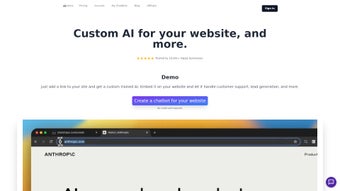

Download ChatShape – AI‑Powered Chatbot Builder for Custom Content
Overview
ChatShape is a cloud‑based, AI‑driven chatbot builder designed to turn any private knowledge repository into an interactive conversational assistant with just a few clicks. The platform works through a lightweight Chrome extension that captures the visible text of web pages, wikis, or internal documentation sites such as Confluence, Notion, Jira, and Quip. Once the text is extracted, it is instantly encrypted with AES‑256 and stored on secure Amazon Web Services (AWS) infrastructure, guaranteeing that no raw HTML or media files are ever persisted in an unprotected state.
Leveraging OpenAI’s large language models, ChatShape processes the cleaned text, builds a context‑aware language model, and publishes a unique, shareable bot URL that can be embedded anywhere—from intranet portals to public help centers. Because the entire workflow is hosted online, users do not need to install heavyweight software, manage API keys, or maintain server resources. The service offers a tiered subscription model based on the number of characters ingested per month, allowing freelancers to start for free, small teams to scale modestly, and enterprises to handle massive corpora with dedicated support.
In practice, a product manager can turn a 10‑page product manual into a live FAQ bot in under two minutes, while a support engineer can refresh a troubleshooting bot whenever the underlying documentation is updated. This combination of speed, security, and simplicity makes ChatShape a compelling choice for organizations that want to modernize knowledge sharing without committing to custom development or exposing sensitive information to third‑party services.
Key Features, Benefits, and Real‑World Advantages
ChatShape’s feature set is intentionally focused on the most common pain points experienced by teams that rely on static documentation. First, the one‑click Chrome extension eliminates manual copy‑pasting; the extension reads the DOM, strips out scripts and styling, and sends only the clean text to the backend. Second, the AI engine, powered by OpenAI’s latest GPT models, interprets hierarchical headings, bullet points, and numbered lists, which means the resulting chatbot can answer questions with the same structure and tone as the original source.
Third, every piece of data is encrypted at rest and in transit, and the platform never logs full page URLs, protecting both corporate IP and personal privacy. Fourth, the platform automatically tracks token usage and provides a visual analytics dashboard so administrators can see which topics generate the most traffic, helping them identify gaps in documentation. Fifth, the dynamic character‑based pricing ensures that you only pay for the amount of content you actually process, unlike traditional seat‑based licensing models.
Finally, the generated bot URLs are public‑shareable but can be gated with optional SSO, IP whitelisting, or password protection for internal deployments. Together, these capabilities create a seamless workflow: capture → encrypt → train → deploy, all within a single, intuitive interface.
Pros
- Instant bot creation – no coding, no server setup, and no waiting for model training.
- End‑to‑end encryption ensures that confidential documents remain private.
- Works with any web‑accessible content, making it versatile across platforms.
- Scalable, character‑based pricing lets you grow without costly license upgrades.
- Built‑in analytics give insight into user behavior and documentation gaps.
- Shareable URLs simplify distribution; optional SSO adds enterprise‑grade security.
Cons
- Only textual content is processed; images, PDFs, and embedded media are ignored.
- Requires an active internet connection; there is no offline mode.
- Advanced personality tuning and custom model selection are limited to higher‑tier plans.
- Character limits can become a budgeting concern for very large knowledge bases.
- The Chrome‑only extension means Firefox and Safari users need a workaround.
Installation, Detailed Usage Guide & Compatibility
Step‑by‑step installation and initial setup:
- Open the Chrome Web Store, search for “ChatShape – AI Chatbot Builder,” and click “Add to Chrome.”
- Confirm the permission request that allows the extension to read page content and communicate with the ChatShape cloud.
- After installation, a blue ChatShape icon appears to the right of the address bar.
- Click the icon, then sign in using your email address, Google account, or the automatic OpenAI‑linked sign‑up flow.
- Navigate to the first knowledge‑base page you wish to convert (e.g., a Confluence article or Notion page).
- Press the ChatShape icon again and select “Add Current Site.” The extension scrapes the visible text, encrypts it locally, and queues it on your dashboard.
- Visit the ChatShape web dashboard, review the captured snippet, optionally edit or merge multiple sources, and click “Generate Bot.”
- Wait a few seconds while the AI model processes the input, then receive a unique, shareable bot URL that you can embed or distribute.
Best‑practice usage tips: Keep source pages well‑structured with clear headings; the AI uses these cues to understand context. For complex topics, break the content into multiple pages and add each one before generating the bot—ChatShape will merge them intelligently. If the bot produces off‑topic answers, edit the source text in the dashboard and click “Regenerate Bot” to refresh the knowledge without changing the public URL.
Compatibility across devices and operating systems: Because ChatShape is a Chrome extension, it runs on any platform that supports Google Chrome, including Windows 10/11, macOS Ventura and later, Linux distributions (Ubuntu, Fedora, etc.), and Chrome OS. The responsive web dashboard works on Android Chrome and iOS Safari, allowing you to monitor usage, edit sources, and view analytics from mobile devices. Full bot generation and source capture, however, are most reliable on a desktop browser where the extension can access the DOM directly. Enterprise customers can enable SSO (Okta, Azure AD) and enforce IP‑based restrictions from the dashboard, while developers on Premium plans gain access to a limited REST API for programmatic bot creation.
Frequently Asked Questions
How does ChatShape protect my data?
All extracted text is encrypted at rest with AES‑256 on AWS. The original HTML and any media files are never stored. Only the account owner can decrypt the content, and two‑factor authentication can be enabled for additional security.
Can I use ChatShape with private Confluence spaces?
Yes. When you are logged into Confluence, the Chrome extension can capture the visible text of any page you have permission to view. The data is encrypted and isolated to your ChatShape account.
What limits apply to the free tier?
The free tier provides up to 5,000 characters of source text per month and allows one active chatbot. Exceeding the limit prompts you to upgrade or wait for the next billing cycle.
Is there a way to update a bot after the source content changes?
Absolutely. Re‑visit the updated page, click the ChatShape icon, choose “Refresh Source,” and then regenerate the bot from the dashboard. The same shareable link remains active.
Do I need an OpenAI account to use ChatShape?
No. ChatShape provisions and manages the OpenAI API keys on your behalf. Advanced users on Premium plans may link their own OpenAI account to select custom models.
Conclusion – Get Started with ChatShape Today
ChatShape bridges the gap between static documentation and interactive assistance, delivering a secure, AI‑driven chatbot in a matter of clicks. Its seamless Chrome integration, robust encryption, and support for popular knowledge‑base platforms make it a compelling choice for teams looking to improve self‑service support without hiring developers. Whether you’re a solo consultant needing a quick FAQ bot or a large enterprise seeking to scale internal knowledge sharing, ChatShape’s flexible pricing and intuitive interface empower you to deploy conversational AI fast and safely. Ready to transform your content into a living assistant? Download ChatShape now and start building your first custom chatbot today.
ChatShape delivers fast, secure AI chatbots from existing content with minimal setup. The Chrome extension is intuitive, encryption ensures privacy, and the analytics dashboard helps teams refine their documentation. Ideal for both small teams and large enterprises.
Review Pros
- Zero‑code deployment.
- Strong privacy controls.
- Scalable, usage‑based pricing.
Review Cons
- No support for non‑text media.
- Chrome‑only extension.



.png)



